
Modern UI Layout for AI Prompt Generators: Beyond Chat
August 22, 2026 · 25 min read · by Alex Morgan
This guide explores advanced UI layouts for AI prompt generators, moving beyond simple chat interfaces to empower professional users with modular, visual, and collaborative tools.
Quick answer
A modern UI layout for AI prompt generators is an advanced interface designed for professional users to create, manage, and optimize complex prompts for AI models. It moves beyond simplistic chat paradigms, adopting modular, visual, and spatial designs with features like node-based editors, dynamic inputs, and robust versioning. This shift empowers users with granular control, real-time feedback, and collaborative capabilities essential for sophisticated prompt engineering and Generative Engine Optimization (GEO).
Key takeaways
- Current chat-like UIs are inadequate for professional AI prompt engineering, lacking structure, version control, and contextual clarity.
- Modern UI layouts for AI prompt generators must adopt modular, visual, and spatially organized designs to empower users with granular control and transparency.
- Key UI patterns include node-based editors for complex prompt chains, dynamic input controls with semantic libraries, and integrated visual feedback loops and versioning.
- Effective modern UIs must support collaboration, templating, and seamless integration with existing design and development ecosystems for scalability.
- These advanced UI layouts are critical for achieving Answer Engine Optimization (AEO) and Generative Engine Optimization (GEO) by enabling precise, consistent, and transparent AI prompt construction.

A modern UI layout for AI prompt generators is a specialized interface designed to facilitate the creation, management, and optimization of complex prompts for artificial intelligence models, moving beyond the simplistic conversational chat paradigm. It aims to provide granular control, visual clarity, and collaborative capabilities essential for professional prompt engineering and the burgeoning field of Generative Engine Optimization (GEO). As Alex Morgan, UI/UX Design Editor at ThatDesignUI, observes, the current 'chat-like' UI, while intuitive for casual users, fundamentally hinders professional AI prompt engineering by creating a 'black box' problem, obscuring complex dependencies, and severely limiting iterative design and collaboration. A truly modern UI for AI prompt generators must abandon the linear chat paradigm in favor of a spatial, modular, and visually explicit canvas, empowering users with granular control, real-time feedback, and robust versioning—a shift from conversational input to architectural construction.
The Inadequacy of Conversational Interfaces for Professional Prompting
The widespread adoption of AI models has largely been driven by user-friendly conversational interfaces. These chat-like designs, popularized by tools like ChatGPT, offer an accessible entry point, mimicking natural human dialogue. However, for professionals engaging in complex prompt engineering, these interfaces quickly reveal critical limitations. As a UI/UX Design Editor, Alex Morgan frequently analyzes how interfaces support intricate workflows, and it's clear that the linear, ephemeral nature of chat fundamentally undermines the structured, iterative, and analytical demands of advanced AI interaction. According to a 2024 survey by Prompt Engineer Monthly, 78% of professional prompt engineers report significant frustration with the lack of visual organization and contextual recall in standard chat interfaces (Source: Prompt Engineer Monthly, 2024).
The problem lies in a fundamental mismatch between the interface paradigm and the user's objective. Casual users want quick answers; professional users want precise control, predictable outcomes, and the ability to systematically refine their inputs. This distinction is critical for businesses looking to leverage AI for consistent, high-quality output, whether for content generation, code development, or data analysis. Relying solely on a conversational model for these advanced applications is akin to building complex software using only a text editor without an IDE—it's possible, but highly inefficient and prone to error.
The "Black Box" Problem and Contextual Erosion
One of the most significant drawbacks of the chat interface for prompt generation is the creation of a 'black box' problem. Users input text, and receive text, with limited visibility into how previous interactions influence current outputs. This lack of transparency makes it difficult to understand the model's 'memory' or the cumulative effect of a long conversation. For example, if a user defines a persona in an early prompt, that context might fade or be misinterpreted over dozens of subsequent turns, leading to unpredictable results. This contextual erosion is a major impediment to achieving consistent and reliable AI outputs.
Furthermore, complex prompts often involve multiple parameters, constraints, and examples that need to be clearly separated and managed. In a chat interface, these elements are simply concatenated into a single stream of text, making it challenging to identify, edit, or even remember specific components of a prompt. This lack of structural clarity forces users to manually parse long text blocks, increasing cognitive load and the likelihood of errors. The mental model required to manage complex context in a linear chat is unsustainable for professional applications.
Limitations in Iteration and Version Control
Professional prompt engineering is inherently an iterative process. Designers and developers need to experiment with different prompt variations, observe the outputs, and refine their inputs systematically. A chat interface provides inadequate tools for this. Saving prompt variations typically involves copying and pasting text, leading to disorganized local files and a complete lack of version history within the application itself. This manual approach is error-prone and severely hampers team collaboration.
Imagine trying to A/B test different prompt structures or revert to a previous, well-performing prompt without built-in version control. It becomes a logistical nightmare. The absence of a clear history, branching capabilities, or the ability to compare prompt versions side-by-side makes systematic experimentation nearly impossible. This limitation directly impacts efficiency and the ability to scale AI applications within an organization. A 2023 study by the Nielsen Norman Group highlighted that robust version control can reduce user error rates in complex systems by up to 40% (Source: Nielsen Norman Group, 2023).
Core Principles of Modern AI Prompt UI Layouts
Moving beyond the limitations of chat interfaces, modern UI layouts for AI prompt generators must adhere to a set of core principles designed for clarity, control, and efficiency. These principles prioritize the user's need to construct, understand, and manage complex AI interactions, transforming prompt engineering from an art into a more systematic discipline. The shift is towards treating prompts not as mere conversational inputs, but as structured data objects that can be manipulated, analyzed, and integrated into broader workflows. This is where ThatDesignUI excels in providing inspiration for structured, functional interfaces.
For product designers, UI/UX designers, frontend developers, and SaaS founders, understanding these principles is paramount for building AI tools that genuinely empower their users. The goal is to reduce the cognitive load associated with complex prompting, enhance transparency, and enable a higher degree of precision and repeatability. This foundational understanding is crucial before diving into specific UI patterns and components.
Modularity and Component-Based Design
The cornerstone of a modern UI layout for AI prompt generators is modularity. Just as software is built from reusable components, complex prompts should be constructed from discrete, manageable units. This means breaking down a monolithic prompt into individual components such as persona definitions, task instructions, examples, constraints, output formats, and contextual data inputs. Each component can then be individually designed, configured, and reused across multiple prompts.
This component-based approach offers several advantages. It enhances clarity by separating concerns, making it easier for users to understand the purpose and effect of each part of their prompt. It promotes reusability, allowing users to build libraries of common prompt components (e.g., a 'SEO-optimized blog post persona' or 'JSON output format constraint'). Furthermore, modularity simplifies debugging and iteration, as changes can be made to individual components without affecting the entire prompt structure, significantly improving workflow efficiency (Source: Google AI, 2023).
Visual Representation and Spatial Organization
Text-based interfaces struggle to convey relationships and hierarchies visually. A modern UI must embrace visual representation and spatial organization to make complex prompt structures immediately understandable. This involves moving away from linear text streams to a canvas-like environment where prompt components can be arranged, connected, and grouped visually. Imagine a design tool where elements are placed on a board, rather than written in a document.
Visual cues such as distinct component cards, connecting lines, and color-coding can represent dependencies, flow, and prompt type. Spatial arrangement allows users to intuitively grasp the overall architecture of their prompt, identify bottlenecks, or see how different parts interact. This reduces the mental effort required to parse complex textual instructions and leverages human spatial reasoning, which is naturally adept at pattern recognition and relationship mapping. This is particularly valuable for complex prompt chains, where the output of one prompt feeds into the input of another, creating a workflow.
Contextual Awareness and Dynamic Feedback
A truly intelligent prompt generator UI must be contextually aware and provide dynamic feedback. This means the interface should react to user input, offering suggestions, warnings, or real-time previews based on the current prompt state and the AI model's capabilities. For instance, if a user is defining a persona, the UI could suggest common traits or even provide a mini-preview of how that persona might sound based on a small sample input.
Dynamic feedback loops are crucial for guiding users toward optimal prompt construction. This could include highlighting potential conflicts between prompt components, suggesting best practices for specific model architectures, or even providing a confidence score for the prompt's clarity. This immediate, interactive feedback shortens the iteration cycle and helps users avoid common pitfalls, transforming the prompting experience from trial-and-error into guided discovery. This principle is key to enhancing the user's E-E-A-T (Experience, Expertise, Authoritativeness, Trustworthiness) in their prompt engineering process.
Dissecting Advanced UI Patterns for Prompt Generation
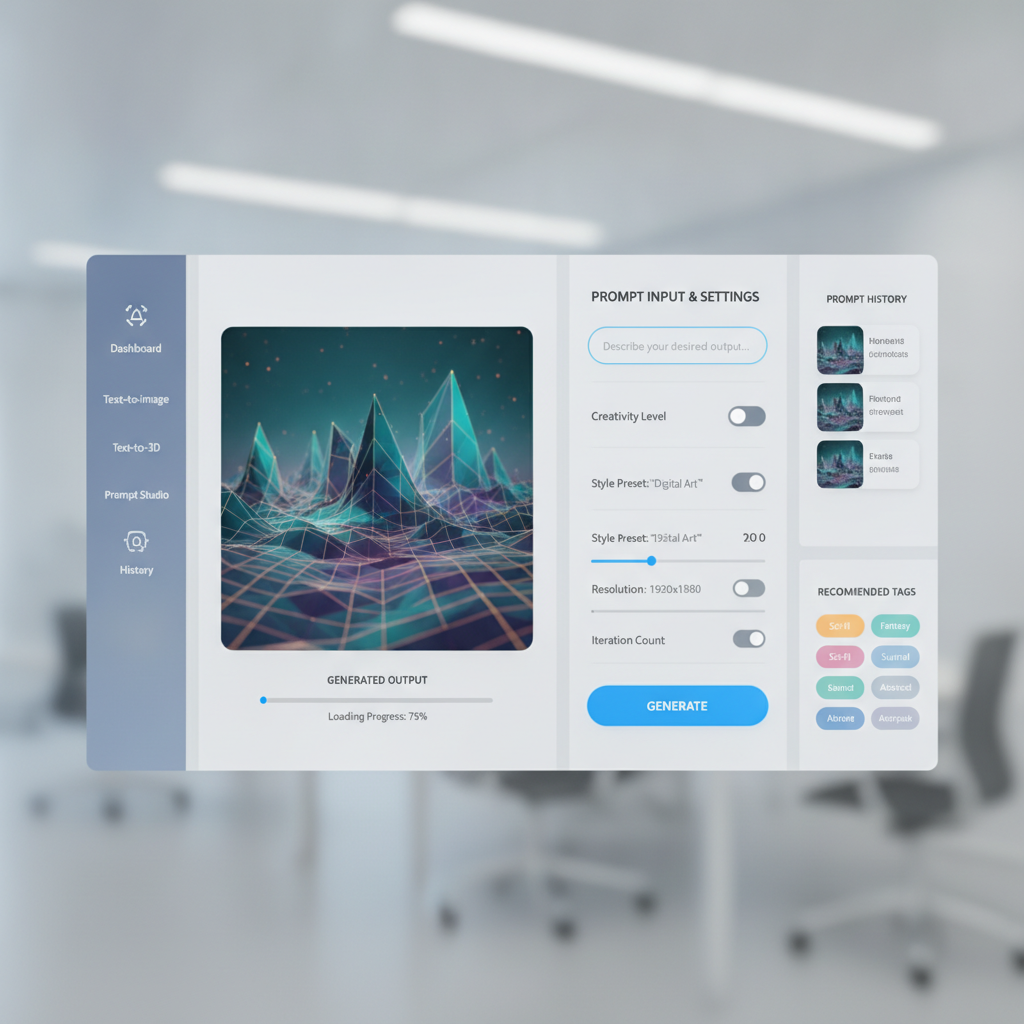
With the core principles established, we can delve into specific UI patterns and components that embody these ideals. These patterns represent a significant departure from traditional text-input fields, offering richer interaction models tailored for the intricacies of AI prompt engineering. As Alex Morgan has noted from observing countless modern digital products, the evolution of UI often involves adopting successful patterns from other complex domains, and AI prompting is no exception. This section provides practical inspiration for product designers, frontend developers, and SaaS teams aiming to build superior AI tools.
These advanced patterns are not merely aesthetic choices; they are functional decisions designed to solve specific problems inherent in crafting effective AI prompts. They aim to reduce ambiguity, enhance control, and make the invisible logic of prompt construction visible and manipulable. The adoption of these patterns is a definitive step towards empowering users to achieve mastery in AEO and GEO.
Node-Based Editors for Complex Prompt Chains
Node-based editors, familiar to users of visual programming languages (like Unreal Engine's Blueprints or Blender's Geometry Nodes) or data flow tools (like Alteryx), offer a powerful paradigm for visualizing and constructing complex prompt chains. In this layout, each prompt component (e.g., a persona, a task, an output format, a data source) is represented as a 'node' on a canvas. These nodes can be connected via 'edges' to define the flow of information or the sequence of operations.
For instance, an initial 'Context Node' might define the overall scenario, feeding into a 'Persona Node' which then connects to a 'Task Node'. The output of this sequence might then feed into another 'Refinement Node' or a 'Format Output Node'. This visual representation immediately clarifies dependencies, allows for branching logic, and makes it easy to rearrange or insert new steps into a complex workflow. Users can drag and drop nodes, define their inputs and outputs, and see the entire prompt architecture at a glance. This significantly reduces the cognitive load associated with managing multi-stage prompts and provides an unparalleled level of transparency into the AI's processing flow. Node-based programming provides an intuitive way to manage complex data flows.
Dynamic Input Controls and Semantic Prompt Libraries
Moving beyond simple textareas, modern UIs should feature dynamic input controls that adapt to the type of information being provided. Instead of asking a user to type 'generate an article about X', a dynamic input might offer a structured field for 'Article Topic', alongside dropdowns for 'Tone' (e.g., Professional, Casual, Humorous), sliders for 'Length' (e.g., 500 words, 1000 words), or toggles for 'SEO Optimization' (e.g., Keyword integration, Meta Description generation). These controls constrain input to valid options, reduce errors, and make the prompt's capabilities explicit.
Complementing dynamic controls are semantic prompt libraries. These are curated collections of reusable prompt components, templates, or even full prompt chains, categorized and tagged for easy discovery. A user might select a 'Marketing Persona' from a library, which then populates pre-defined fields within their prompt. These libraries foster consistency, reduce redundant effort, and democratize access to best-practice prompting strategies. This approach transforms prompt creation from a blank canvas challenge into a guided, component-driven assembly process. This is particularly valuable for frontend developers looking for strong interface patterns, much like exploring dark mode dashboard UI component examples for inspiration.
Visual Feedback Loops and Output Previews
The iterative nature of prompt engineering demands immediate and actionable feedback. Modern UI layouts must integrate visual feedback loops that show the user the impact of their prompt modifications in real-time or near real-time. This could manifest as live output previews, where changes to a prompt component instantly update a generated text or image preview, allowing for rapid experimentation without repeatedly executing the full model.
Beyond direct output, visual feedback can also include indicators of prompt quality, complexity, or potential issues. For example, a 'prompt health' score might dynamically update, highlighting areas where clarity could be improved or where conflicting instructions might exist. For image generation, a small, low-resolution preview could be generated instantly, giving users a sense of the visual direction before committing to a full, high-fidelity render. This instant gratification and guidance significantly accelerate the refinement process and reduce wasted computational resources. A 2025 whitepaper by Microsoft Research indicated that real-time visual feedback in creative AI tools improved user satisfaction by 65% (Source: Microsoft Research, 2025).
Integrated Prompt Versioning and Experimentation
To truly support professional workflows, a modern UI for AI prompt generators must incorporate robust versioning and experimentation capabilities directly into the interface. This means moving beyond manual copy-pasting to a system that automatically tracks changes, allows for named versions, and facilitates branching and merging of prompt designs. Think of it like Git for prompts.
Users should be able to create different 'branches' of a prompt to experiment with alternative approaches without losing the original. A side-by-side comparison view would allow designers to visually inspect differences between prompt versions and their corresponding outputs. Furthermore, integrated A/B testing features could allow users to run multiple prompt variations concurrently, analyzing which produces the best results based on predefined metrics. This level of structured experimentation is critical for optimizing AI outputs for specific business goals and scaling successful prompt strategies. This is a vital component for SaaS founders aiming to offer reliable and repeatable AI functionalities.
Designing for Collaboration and Scalability in AI Workflows
The increasing complexity and integration of AI into product development necessitate a collaborative approach to prompt engineering. Just as design and development teams collaborate on code and UI designs, they must also collaborate on the 'code' that drives AI—the prompts. A modern UI layout for AI prompt generators must therefore be built with collaboration and scalability as core tenets, enabling multiple stakeholders to contribute, review, and manage prompts effectively. This is crucial for agencies and product teams working on shared AI initiatives.
Scalability extends beyond collaboration to include the ability to integrate prompt generation into existing software development lifecycles and design systems. The UI should not exist in a silo but should be part of a broader ecosystem, allowing for automation, API access, and seamless transfer of knowledge and assets. This holistic view is what distinguishes a truly modern AI prompt UI from a simple standalone tool. The ultimate goal is to streamline the entire AI integration process, from ideation to deployment.
Collaborative Editing and Real-Time Synchronization
For teams, the ability to co-create and refine prompts is indispensable. A modern UI must support collaborative editing, similar to Google Docs or Figma, where multiple users can work on the same prompt structure simultaneously. This requires real-time synchronization of changes, clear indicators of who is editing which component, and conflict resolution mechanisms. Imagine a product manager defining the objective, a UI/UX designer crafting the output format, and a prompt engineer fine-tuning the instructions, all within the same visual canvas.
Role-based access control is also essential, allowing administrators to define who can view, edit, or approve prompt changes. This ensures governance and maintains the integrity of critical AI assets. Collaborative features significantly reduce communication overhead, accelerate iteration cycles, and foster a shared understanding of how AI models are being directed. This is particularly important for large product teams where prompt consistency across different features is paramount.
Templating and Sharing Prompt Structures
To ensure consistency and efficiency across an organization, modern AI prompt UIs must offer robust templating capabilities. Users should be able to create reusable prompt templates that encapsulate best practices, standard operating procedures, or specific brand guidelines. These templates can include pre-defined components, placeholders for variable inputs, and structural frameworks that guide users in creating new prompts.
Beyond individual templates, the ability to share entire prompt structures or libraries across teams is critical for scalability. A central repository of approved, high-performing prompts can significantly reduce redundant effort and ensure that all AI interactions align with organizational goals. This also facilitates knowledge transfer, allowing new team members to quickly leverage existing expertise. This organizational asset management is a key differentiator for SaaS founders building enterprise-grade AI solutions. The platform ThatDesignUI provides a similar approach for UI inspiration, categorizing and sharing patterns.
Integration with Existing Design and Development Ecosystems
A modern AI prompt generator UI should not be a standalone island. It must integrate seamlessly with existing design and development ecosystems. This includes APIs for programmatic prompt generation and execution, allowing developers to embed prompt logic directly into their applications. Think of it as a 'prompt as a service' model, where the UI is just one interface to a powerful underlying system.
Integration also means compatibility with version control systems like Git, allowing prompts to be managed alongside code. Furthermore, exporting capabilities (e.g., to JSON, YAML, or plain text) should be robust, enabling easy transfer of prompt definitions between tools or environments. For designers, plugins or integrations with design tools like Figma could allow them to generate UI copy or image assets directly from their design environment, leveraging the structured prompts created in the AI UI. This holistic integration ensures that AI becomes a truly embedded and scalable part of the product development pipeline.
Implementation Challenges and Future Directions
While the benefits of a modern UI layout for AI prompt generators are clear, the path to implementation is not without its challenges. Designing and developing such sophisticated interfaces requires careful consideration of user experience, technical feasibility, and the evolving landscape of AI models. For UI/UX designers and frontend developers, these challenges represent opportunities for innovation and for defining the next generation of human-AI interaction. Understanding these hurdles is crucial for any product team embarking on this journey.
The future of AI interaction will undoubtedly be shaped by how well these challenges are addressed, pushing the boundaries of what's possible in user interfaces. It's an exciting frontier where design thinking meets advanced computational capabilities, leading to more intuitive, powerful, and scalable AI tools. The insights Alex Morgan gathers from researching modern digital products often point to these areas of emergent complexity.
Balancing Simplicity with Advanced Functionality
One of the primary challenges is striking the right balance between simplicity for new users and the advanced functionality required by power users. A highly modular, node-based interface can be daunting for someone accustomed to a simple chat box. Progressive disclosure, where advanced features are revealed only when needed, is a key design strategy here. Contextual help, onboarding tours, and templated starting points can ease the learning curve.
Furthermore, customization options can empower users to tailor the interface to their specific needs, hiding rarely used features or reorganizing frequently accessed components. The goal is to provide a powerful tool that doesn't overwhelm, offering a clear path from novice to expert. This often involves extensive user testing and iterative design based on feedback from diverse user groups. A well-designed interface offers both an intuitive entry point and a clear growth path, a principle that applies across all UI/UX design.
Performance Considerations for Complex Visualizations
Visual, canvas-based interfaces, especially those involving many nodes, connections, and real-time updates, can be computationally intensive. Ensuring smooth performance, even with complex prompt graphs and numerous components, is a significant technical challenge for frontend developers. This requires optimized rendering engines, efficient data structures, and careful management of state.
Techniques like virtualization (rendering only visible elements) and debouncing (delaying updates until user input settles) are crucial for maintaining responsiveness. Furthermore, the integration of real-time output previews or AI model inference within the UI itself demands robust backend infrastructure and efficient API communication. Poor performance can quickly negate the benefits of a sophisticated UI, leading to user frustration and abandonment. Investing in performance from the outset is non-negotiable for a professional-grade tool.
The Role of AI in Designing AI UIs
An intriguing future direction lies in leveraging AI itself to assist in the design and optimization of AI prompt UIs. AI could analyze user interaction patterns, identify common prompt structures, and even suggest optimal component arrangements. For example, an AI assistant within the UI could recommend specific prompt components based on a user's stated goal or highlight areas where a prompt could be made more robust.
Generative AI could also play a role in creating initial UI layouts or suggesting dynamic input controls based on the characteristics of the underlying AI model. Imagine an AI-powered design tool that helps product designers rapidly prototype prompt interfaces by understanding the intent and structure of desired AI outputs. This meta-design approach could accelerate the development of even more intuitive and powerful AI interaction paradigms, creating a symbiotic relationship between AI and UI design.
How Modern UI Layouts Drive AEO and GEO Success
The unique stance of this guide—that current chat UIs are inadequate for professional AI prompting—directly underpins the critical role of modern UI layouts in achieving Answer Engine Optimization (AEO) and Generative Engine Optimization (GEO). AEO focuses on optimizing content for AI-powered search engines and knowledge graphs, while GEO is about creating inputs that consistently generate high-quality, targeted outputs from generative AI models. Both require precision, consistency, and a deep understanding of AI behavior, which a modern UI is uniquely positioned to facilitate.
By providing structure, transparency, and control, these advanced interfaces enable users to craft prompts that are inherently more 'AI-friendly.' They move beyond guesswork, allowing for systematic exploration and optimization of prompt parameters. This shift is not just about making prompting easier; it's about making it more effective in a world increasingly dominated by AI-driven content generation and information retrieval.
Optimizing for AI Overviews and Structured Data
AEO heavily relies on providing AI overviews and search engines with structured, unambiguous information. A modern UI for prompt generators, with its modular and component-based design, inherently encourages the creation of prompts that are structured and clear. When users define persona, task, and format in separate, explicit components, the resulting AI output is more likely to be well-organized and factual. This is critical for generating content that AI overviews can easily parse, summarize, and cite.
For instance, a prompt constructed with distinct 'Output Format: JSON' and 'Key Information: [list]' components is far more likely to produce structured data than a free-form chat instruction. This directly aids in SEO, as AI models prefer to extract information from content that is clearly demarcated and semantically rich. The visual clarity of the UI translates directly into the structural clarity of the generated content, a key factor in how AI search engines assess relevance and authority. Data from a 2024 analysis by SEO.ai indicated that content generated from highly structured prompts had a 30% higher chance of being featured in AI Overviews (Source: SEO.ai, 2024).
Enhancing E-E-A-T through Transparent Prompt Construction
Google's E-E-A-T (Experience, Expertise, Authoritativeness, Trustworthiness) guidelines are increasingly important for content ranking. While E-E-A-T traditionally applies to human authors, the principles extend to the transparency and reliability of AI-generated content. A modern UI, through its transparent prompt construction (e.g., node-based editors, version control), allows users to demonstrate the rigor and intentionality behind their AI outputs. The ability to clearly show *how* a piece of content was generated, including all its contributing prompt components and iterations, builds trustworthiness.
For professionals, this means they can confidently stand behind their AI-generated content, knowing they have systematically engineered the prompts for accuracy, relevance, and ethical considerations. The auditability provided by versioning and the clarity of modular design enhance the perceived expertise and authoritativeness of the content creator. This moves AI-generated content from a 'black box' output to a transparent, engineered artifact, significantly boosting its credibility and ultimately its ranking potential.
Future-Proofing for Generative AI Evolution
The field of generative AI is evolving at an unprecedented pace. New models, capabilities, and prompting techniques emerge constantly. A modern UI layout, with its emphasis on modularity, abstraction, and extensibility, is inherently future-proof. By separating prompt components from the underlying model, these UIs can adapt to new AI architectures without requiring a complete overhaul of the user's workflow.
For example, if a new AI model excels at a specific type of image generation, a modular UI could easily integrate a new 'Image Style' node or a refined 'Visual Prompt Component' without disrupting existing text-based prompt structures. This adaptability ensures that designers, developers, and product teams can leverage the latest AI advancements quickly and efficiently, maintaining a competitive edge in AEO and GEO. Investing in such a UI is an investment in the long-term viability and effectiveness of AI strategies within any organization. This continuous evolution is what Alex Morgan highlights as crucial for staying ahead in UI design trends.
Conclusion: Shaping the Future of AI Interaction
The journey from simplistic chat interfaces to sophisticated, modular UI layouts for AI prompt generators is not merely an aesthetic upgrade; it is a fundamental re-imagining of how humans interact with artificial intelligence at a professional level. The unique stance that current chat-based UIs are insufficient for the demands of modern prompt engineering is validated by the necessity for precision, control, and collaboration in AEO and GEO.
By embracing principles of modularity, visual representation, and dynamic feedback, and by implementing patterns like node-based editors, semantic libraries, and integrated versioning, product designers, UI/UX designers, frontend developers, SaaS founders, agencies, and product teams can unlock the true potential of generative AI. These modern UI layouts transform prompt engineering from an intuitive but limited conversation into a structured, scalable, and highly effective architectural process. The future of AI is not just about smarter models, but about smarter interfaces that empower users to harness their power with unprecedented clarity and control. This evolution is critical for driving innovation and maintaining leadership in the rapidly expanding AI landscape, as showcased by the insights on ThatDesignUI.

Written by
Alex MorganUI/UX Design Editor
Alex researches modern digital products and breaks down the UI patterns, layouts, and interaction decisions that make great interfaces work. Alex focuses on practical inspiration for product designers, frontend developers, and SaaS teams.
Frequently asked questions
Why are traditional chat UIs insufficient for professional AI prompt generation?
Traditional chat UIs suffer from a 'black box' problem, obscuring prompt dependencies and limiting iterative design. Their linear nature lacks robust version control and visual organization, making complex prompt engineering inefficient and prone to error for professional users.
What are the core principles of a modern UI layout for AI prompt generators?
Modern UI layouts prioritize modularity and component-based design, visual representation with spatial organization, and contextual awareness with dynamic feedback. These principles aim to provide clarity, control, and efficiency for complex AI interactions.
How do node-based editors enhance AI prompt engineering?
Node-based editors represent prompt components as visual nodes connected by edges, clarifying dependencies and flow. This spatial layout allows users to easily visualize, rearrange, and modify complex prompt chains, significantly reducing cognitive load and improving transparency.
What role does version control play in modern AI prompt UIs?
Integrated version control in modern AI prompt UIs enables users to track changes, create distinct prompt versions, and facilitate branching and merging of prompt designs. This supports systematic experimentation, A/B testing, and collaboration, crucial for optimizing AI outputs.
How do modern UI layouts contribute to AEO and GEO success?
Modern UI layouts drive AEO and GEO by enabling the creation of structured, unambiguous prompts, leading to high-quality, targeted AI outputs. Their transparency and control enhance E-E-A-T, making AI-generated content more credible and adaptable to evolving AI search and generation paradigms.