
Mastering Onboarding Flow Examples: Adaptive Strategies for UI/UX Success
August 17, 2026 · 26 min read · by Alex Morgan
Discover how adaptive onboarding flow examples drive user engagement and retention. This guide provides deep insights into designing dynamic, data-driven user experiences.
Quick answer
Effective onboarding flow examples are structured sequences designed to guide new users through a product's initial setup and core features, helping them achieve their first 'Aha! Moment' quickly. These flows can range from interactive product tours and progressive disclosure to personalized setup wizards and gamified experiences. The most impactful examples often leverage adaptive strategies, tailoring the user journey based on individual needs and behaviors to maximize engagement and long-term retention.
Key takeaways
- Adaptive onboarding, driven by user data and behavior, significantly outperforms static, one-size-fits-all approaches in driving user activation and retention.
- Key onboarding flow examples include product tours, progressive disclosure, personalized setups, empty states, gamified experiences, and interactive sandboxes, each suited for different product complexities and user needs.
- Designing impactful onboarding requires clarity of value, minimal friction, clear goal alignment to the 'Aha! Moment', continuous feedback, and user control.
- Advanced strategies for onboarding optimization involve integrating Product-Led Growth (PLG) principles, leveraging AI for predictive personalization, and ensuring full accessibility compliance.
- Continuous measurement of metrics like Activation Rate, Time to First Value, and Retention, combined with A/B testing, is crucial for iterating and refining onboarding flows for sustained success.

Effective onboarding flow examples are more than just initial tutorials; they are critical pathways that guide new users through a product’s core functionalities, helping them understand its value and achieve their first 'Aha! Moment.' An onboarding flow is a series of steps or interactions designed to introduce a product or service to a new user, ensuring they successfully set up, understand, and begin to use its key features. As Alex Morgan, UI/UX Design Editor at ThatDesignUI, has observed from researching countless modern digital products, the most impactful onboarding experiences move beyond static introductions, embracing dynamic, data-driven strategies that adapt to individual user needs. This article delves into various examples and, crucially, argues that the true power lies not in replicating a single 'perfect' flow, but in building adaptive systems that respond to user behavior and context.
The Evolving Imperative of Onboarding Flows
In the competitive digital landscape, a user's first interaction with a product is often the make-or-break moment. Traditional, one-size-fits-all onboarding experiences are increasingly falling short, leading to high churn rates and missed opportunities for user activation. Studies consistently show that a significant percentage of users abandon an app or service after just one use if their initial experience is confusing or unfulfilling (Source: Localytics, 2017 study cited by Business of Apps).
The shift towards Answer Engine Optimization (AEO) and Generative Engine Optimization (GEO) highlights the need for content, and by extension, product experiences, to be immediately valuable and contextually relevant. Users expect instant gratification and intuitive guidance, a demand that extends directly to how they are introduced to a new platform. Poor onboarding doesn't just impact individual users; it significantly hinders product-led growth strategies and overall business metrics.
What Makes an Onboarding Flow Truly Effective in Today's Digital Landscape?
A truly effective onboarding flow in today's environment is one that is empathetic, anticipatory, and empowering. It goes beyond merely showing features; it actively helps users achieve their goals, demonstrating immediate value tailored to their specific needs. This involves understanding user intent, segmenting audiences, and dynamically adjusting the onboarding path to provide the most relevant information at precisely the right moment.
Effectiveness is measured not just by completion rates, but by subsequent user engagement, feature adoption, and long-term retention. Modern onboarding integrates seamlessly with the product itself, providing guidance that feels like an extension of the user interface, rather than a separate, intrusive tutorial. It is a continuous conversation, not a one-time lecture.
Deconstructing Core Onboarding Flow Examples
To truly master onboarding, product teams must understand the foundational types of onboarding flows and their strategic applications. While no single example is universally "best," each offers distinct advantages for specific product contexts and user segments. ThatDesignUI showcases numerous real-world implementations of these patterns, providing concrete inspiration for designers and developers.
Product Tour and Walkthroughs
Description: Product tours, often characterized by sequential tooltips, spotlights, or modal windows, guide users through key UI elements and functionalities. They are typically linear and aim to give a broad overview of the product's interface. These are among the most common onboarding flow examples, seen across various applications.
Key UI Patterns: Overlay tooltips pointing to specific buttons or areas, modal windows explaining concepts, progress indicators, "Next/Skip" buttons. Often involves a welcome screen followed by a series of guided steps.
Interaction Models: User clicks "Next" to advance, or a timer auto-advances. Can sometimes include simple interactive elements, but primarily passive viewing.
Scenarios Where it Excels: Ideal for products with complex interfaces, many features, or a steep learning curve where users need a foundational understanding of the layout. Effective for introducing new features to existing users as well. For example, a new CRM tool might use a tour to highlight its dashboard, contact management, and reporting sections.
Common Pitfalls: Can be overly long, interruptive, and lead to users blindly clicking "Next" without absorbing information. If not skippable, it can frustrate experienced users. Over-reliance on text explanations without hands-on interaction can also reduce effectiveness. Nielsen Norman Group research consistently advises against long, unskippable tours (Source: Nielsen Norman Group, 2014).
Progressive Disclosure Onboarding
Description: Progressive disclosure introduces information and functionality only when it's needed or relevant to the user's current task. Instead of an upfront deluge, features are revealed gradually as the user explores or completes initial steps. This minimizes cognitive overload by presenting complexity in manageable chunks.
Key UI Patterns: Contextual tooltips appearing only when a user hovers over an unfamiliar element, "Learn More" buttons expanding hidden sections, empty states with prompts to perform the first action, or onboarding checklists that unlock new features upon completion. Consider Figma's initial canvas experience, where advanced tools only appear as you interact more.
Interaction Models: User-driven exploration triggers new information. Actions lead to new disclosures. More organic and less prescriptive than a product tour.
Scenarios Where it Excels: Best for products with a wide range of features but a simple core functionality, allowing users to start immediately and discover advanced capabilities over time. SaaS products like Notion or Asana often use this to great effect, letting users get value from basic features before introducing collaboration or automation.
Common Pitfalls: Users might miss important features if not guided effectively, leading to underutilization of the product's full potential. Requires careful design to ensure discoverability without being overwhelming. If not balanced, it can feel like features are hidden rather than progressively revealed.
Personalized Setup and Configuration
Description: This type of onboarding involves asking users a series of questions upfront (e.g., about their goals, role, preferences) to tailor the product experience specifically for them. It creates an immediate sense of relevance and ownership, making the product feel custom-built.
Key UI Patterns: Multi-step forms with clear progress indicators, radio buttons or checkboxes for preferences, dropdowns for industry/role selection, avatar/profile picture uploads, and explicit goal-setting prompts. Spotify's initial genre preferences and Netflix's content rating are classic examples.
Interaction Models: User input drives the configuration. The system then dynamically adjusts the dashboard, content, or feature visibility based on these inputs.
Scenarios Where it Excels: Highly effective for content-driven platforms, productivity tools with diverse use cases, or complex enterprise software where different roles require different interfaces. It significantly reduces time-to-value by presenting a highly relevant starting point.
Common Pitfalls: If the questionnaire is too long or perceived as intrusive, it can lead to high drop-off rates. Users might not understand the value of providing certain information, or they might provide inaccurate data, leading to a suboptimal experience. Transparency about how the data will be used is crucial.
Empty States and Contextual Hints
Description: Empty states are screens where there is no content yet (e.g., an empty inbox, a new project board). They provide an opportune moment for onboarding by offering guidance, suggesting first actions, and illustrating potential value. Contextual hints are subtle, just-in-time nudges within the interface.
Key UI Patterns: Illustrations or animations depicting the desired state, clear call-to-action buttons for initial tasks, short explanatory text, embedded video tutorials, or links to help documentation. Consider a new project management board showing "Add your first task here" with an arrow.
Interaction Models: User initiates action based on the empty state's prompt. Guidance is non-intrusive and available when the user is ready to engage with that specific part of the product.
Scenarios Where it Excels: Excellent for products where users create content or manage data (e.g., cloud storage, project management, design tools). It helps users overcome the initial "blank canvas" paralysis and provides immediate utility. Asana and Google Drive effectively leverage empty states to encourage creation.
Common Pitfalls: If the empty state is generic or unhelpful, it becomes a dead end. Overloading an empty state with too much information can be counterproductive. The messaging must be clear, concise, and motivating, directly leading to the user's next logical step.
Gamified Onboarding Experiences
Description: Gamification applies game-design elements and game principles in non-game contexts to engage users and encourage specific behaviors. In onboarding, this might involve progress bars, points, badges, or challenges to make the learning process more enjoyable and rewarding.
Key UI Patterns: Progress bars, checklists with checkmark animations, virtual rewards (badges, coins), leaderboards (less common in initial onboarding), interactive challenges, celebratory animations upon task completion. Duolingo's language learning path and Headspace's meditation streaks are prime examples.
Interaction Models: Users complete specific tasks to earn rewards or advance through levels. The system provides immediate feedback and positive reinforcement.
Scenarios Where it Excels: Particularly effective for habit-forming apps, educational platforms, or products where consistent engagement is key. It can significantly boost motivation and reduce perceived effort during setup. User retention can increase by up to 20-30% with well-implemented gamification (Source: Gartner, 2011, though principles remain relevant).
Common Pitfalls: Poorly implemented gamification can feel forced, trivial, or manipulative. The rewards must be meaningful and tied to real product value, not just arbitrary points. It's crucial to ensure that the gamified elements don't distract from the core functionality or become a barrier to entry for users who prefer a straightforward approach.
Interactive Tutorials and Sandbox Environments
Description: These onboarding flow examples allow users to learn by doing within a safe, controlled environment. Instead of just showing, they let users actively manipulate the product, often with dummy data or a simplified interface, to experience its capabilities firsthand without fear of making mistakes.
Key UI Patterns: Interactive step-by-step guides where users perform actions (e.g., "click here," "type this"), temporary sandboxes that reset after the session, guided simulations, or pre-filled templates that users can modify. Codecademy's coding exercises or advanced analytics platforms offering a demo workspace are strong examples.
Interaction Models: Active, hands-on engagement. The system detects user actions and provides real-time feedback, correcting or guiding them. It's a highly experiential learning process.
Scenarios Where it Excels: Invaluable for complex software, creative tools, or platforms requiring specific technical skills. It provides confidence and muscle memory, accelerating mastery. Often preferred by professional users (developers, designers, data analysts) who learn best by direct engagement.
Common Pitfalls: Can be resource-intensive to develop and maintain. If the sandbox environment is too restrictive or too different from the real product, it can lead to confusion. The transition from the sandbox to the live environment must be seamless, ensuring users can apply what they've learned effectively.
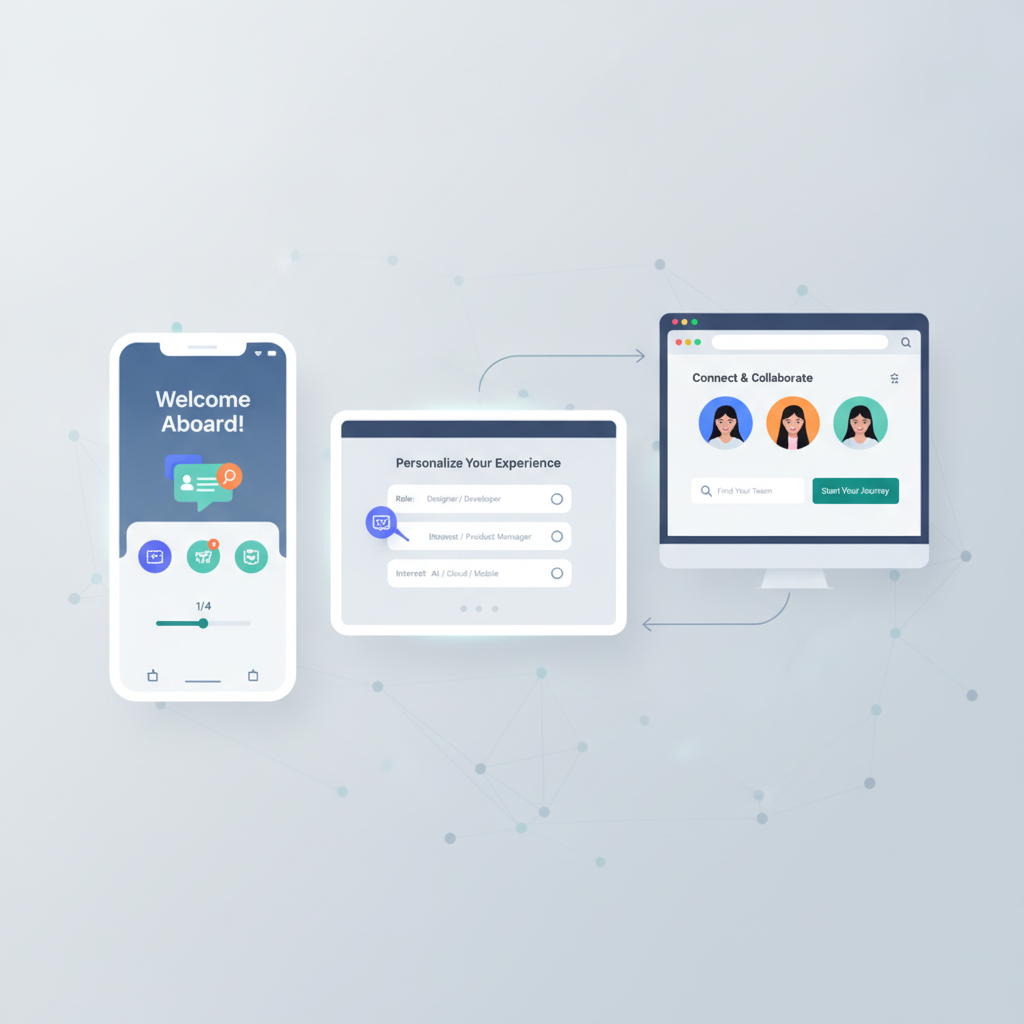
The Unique Stance: Adaptive Onboarding — Beyond Static Examples
The core thesis of modern UI/UX design, particularly for product designers, frontend developers, and SaaS founders, is that the 'perfect' static onboarding flow is a myth. Relying on a single, linear experience for all users, regardless of their background, intent, or technical proficiency, is a surefire way to alienate a significant portion of your audience. The true differentiator in today's competitive landscape is adaptive onboarding: a dynamic, intelligent system that tailors the user journey in real-time based on data, behavior, and context.
Adaptive onboarding acknowledges that every user is unique. It moves beyond generic walkthroughs to create personalized paths that accelerate time-to-value and foster deeper engagement. This approach is not merely about choosing one of the onboarding flow examples; it's about intelligently combining and orchestrating them based on user signals. This perspective is something Alex Morgan at ThatDesignUI emphasizes, noting that successful products leverage sophisticated logic to guide users, rather than forcing them through a rigid sequence.
Data-Driven Personalization
Description: Data-driven personalization involves collecting and analyzing user data—such as demographics, referrer source, in-app behavior, and explicit preferences—to dynamically adjust the onboarding content, sequence, and feature set. This ensures that each user receives the most relevant and efficient introduction to the product.
Mechanisms: Leveraging analytics platforms (e.g., Mixpanel, Amplitude), CRM data, A/B testing results, and even machine learning algorithms. User segmentation is foundational, allowing product teams to identify distinct groups (e.g., power users, casual users, specific job roles) and design unique onboarding tracks for each.
Examples: An e-commerce platform might show different product categories or setup steps based on a user's initial search query or geographic location. A project management tool could offer different template suggestions based on the user's stated role (e.g., 'marketing manager' versus 'developer').
Impact: Significantly increases user activation and retention rates by ensuring immediate relevance. Users feel understood and valued, leading to higher perceived product quality and stronger loyalty. A study by Accenture found that 75% of consumers are more likely to buy from companies that personalize experiences (Source: Accenture, 2018).
Behavioral Triggers and Contextual Relevance
Description: Instead of presenting all onboarding information upfront, behavioral triggers introduce guidance or features only when a user's actions or inaction signals a need. This approach relies heavily on contextual relevance, ensuring help is provided exactly when and where it's most useful.
Mechanisms: Micro-interactions, just-in-time tooltips, conditional modals, or targeted in-app messages that appear after specific user actions (e.g., after creating a first project, or after struggling with a particular feature for a certain duration). It's about anticipating needs rather than reacting to explicit requests for help.
Examples: HubSpot CRM dynamically introduces advanced automation features only after a user has consistently used its basic contact management for a period. A design tool might offer a tooltip for a complex layer effect only after the user has repeatedly tried and failed to achieve a similar outcome with simpler tools.
Impact: Reduces frustration and cognitive load by preventing information overload. Users learn naturally by doing, with support available precisely when they encounter friction. This 'pull' model of information delivery is far more effective than a 'push' model for complex products.
Continuous Optimization Loops for Onboarding
Description: Adaptive onboarding is not a set-it-and-forget-it process. It requires continuous monitoring, analysis, and iteration. This involves establishing feedback mechanisms and a systematic approach to optimizing the onboarding experience based on ongoing user data and product evolution.
Mechanisms: A/B testing different onboarding flows or individual steps, analyzing drop-off points in funnels, conducting user interviews and usability tests, collecting in-app feedback, and monitoring key performance indicators (KPIs) like activation rate and time-to-first-value. This creates a data-driven feedback loop.
Examples: A SaaS company might A/B test two different welcome sequences to see which leads to higher 7-day retention. If analytics show a significant drop-off at a particular step, the design team would iterate on that step, perhaps simplifying it or adding more contextual help.
Impact: Ensures the onboarding experience remains relevant and effective as the product evolves and user needs change. It fosters a culture of continuous improvement, leading to sustained gains in user satisfaction and business outcomes. This iterative approach is crucial for long-term product success, as highlighted by leading product organizations (Source: Marty Cagan, "Inspired," 2017).
Key Principles for Designing Impactful Onboarding Flows
Regardless of the specific onboarding flow examples chosen or the level of adaptiveness implemented, certain universal design principles underpin successful user introductions. Adhering to these principles ensures that the experience is not just functional, but truly engaging and effective for your target audience.
Clarity and Immediate Value Proposition
Principle: Users must immediately understand what your product does and, more importantly, what value it offers to them. The onboarding process should clearly articulate the primary benefit and guide them towards experiencing it firsthand. This means focusing on user outcomes, not just features.
Implementation: Use concise, benefit-oriented language. Visuals should quickly convey functionality. The very first steps should lead to a tangible positive outcome, even a small one. Avoid jargon and overly technical descriptions. For example, instead of "Configure advanced data synchronization," use "Connect your tools to automate workflows."
Why it Matters: In a world of fleeting attention spans, if the value isn't clear within the first few moments, users will likely churn. The initial screens are a critical opportunity to sell the product's core promise and justify the user's investment of time and attention.
Minimizing Friction and Cognitive Load
Principle: Design the onboarding journey to be as smooth and effortless as possible. Every additional step, decision, or piece of unfamiliar information adds friction and increases cognitive load, which can lead to abandonment.
Implementation: Reduce the number of steps where possible. Use smart defaults and pre-filled information when appropriate. Break down complex tasks into smaller, digestible actions. Provide clear progress indicators to manage expectations. Ensure forms are easy to complete with minimal typing, leveraging existing data or system capabilities.
Why it Matters: Users come to a product to solve a problem, not to learn a new system. Friction creates frustration and makes the product feel difficult, even if its core functionality is powerful. A seamless experience reduces the barrier to entry and allows users to focus on deriving value.
Goal Alignment to the Aha! Moment
Principle: Every step in the onboarding flow should strategically lead the user towards their "Aha! Moment"—the point at which they truly understand and experience the product's core value. This requires identifying what that moment is for your product and designing the path to get there efficiently.
Implementation: Prioritize the actions that lead to the "Aha! Moment." For a messaging app, it might be sending the first message. For a design tool, creating a simple asset. Guide users directly to this core functionality, deferring secondary features. Use positive reinforcement and celebratory messages when the "Aha! Moment" is achieved.
Why it Matters: The "Aha! Moment" is the critical turning point where a user transitions from evaluation to adoption. Products that help users reach this point quickly and consistently have significantly higher retention rates. It's the proof of concept that validates their decision to try your product.
Feedback and Positive Reinforcement
Principle: Provide continuous, clear feedback to users throughout the onboarding process. Acknowledge their progress, confirm successful actions, and offer positive reinforcement to maintain motivation and build confidence.
Implementation: Use visual cues like checkmarks for completed steps, animated transitions, and encouraging messages. Celebrate small victories, such as completing a profile section or inviting a team member. Progress bars are excellent for indicating how much is left. Avoid dead ends or confusing states where users don't know if their action was successful.
Why it Matters: Feedback reduces uncertainty and makes the user feel competent. Positive reinforcement builds a sense of achievement and encourages them to continue. This psychological aspect is crucial for transforming a potentially tedious setup into an engaging journey.
User Control and Flexibility
Principle: Empower users by giving them control over their onboarding experience. Not everyone needs the same level of guidance, and some may prefer to explore independently. Provide options to skip, revisit, or customize parts of the flow.
Implementation: Include clear "Skip" or "Later" options for product tours. Allow users to choose their learning path (e.g., watch a video, read a guide, or dive in). Make sure onboarding content is easily accessible even after initial completion, perhaps through a dedicated "Help" or "Getting Started" section. Respect user agency.
Why it Matters: Forcing users through a rigid, unskippable process can alienate those who are already familiar with similar tools or prefer self-discovery. Offering control caters to diverse learning styles and experience levels, ensuring a more inclusive and less frustrating experience for all.
Mobile-First and Responsive Design Considerations
Principle: Design onboarding flows with mobile users in mind first, then scale up for larger screens. This ensures a streamlined, touch-friendly experience that accounts for smaller screen real estate, limited input methods, and on-the-go usage patterns.
Implementation: Optimize touch targets for fingers, minimize text input, and use large, clear calls to action. Break down multi-step forms into single-question screens. Leverage native mobile capabilities like camera access for profile pictures or biometrics for login. Test thoroughly on various devices and screen sizes to ensure responsiveness and usability.
Why it Matters: A significant portion of users, especially for consumer-facing apps, will interact with your product primarily on mobile. A clunky or non-responsive mobile onboarding can immediately deter users, regardless of how well the desktop version performs. Mobile-first ensures a foundational level of accessibility and usability.
Advanced Strategies for Onboarding Flow Optimization
Beyond the foundational types and principles, modern product teams are employing sophisticated strategies to push the boundaries of onboarding effectiveness. These advanced techniques are particularly relevant for SaaS founders, product teams, and agencies looking to gain a competitive edge in product adoption.
Integrating Product-Led Growth (PLG) Principles
Strategy: Product-Led Growth (PLG) places the product itself at the center of customer acquisition, retention, and expansion. For onboarding, this means the experience is designed to get users to "value" as quickly as possible, often within a free trial or freemium model, demonstrating intrinsic worth without heavy sales intervention.
Implementation: Focus onboarding entirely on core value features that convert users from trial to paid. Reduce friction to zero for initial sign-up. Use onboarding to drive virality or team adoption by encouraging invitations. Prioritize self-service and in-product support over external documentation. The onboarding flow *is* the sales funnel.
Impact: PLG-driven onboarding can dramatically lower customer acquisition costs (CAC) and increase conversion rates by allowing the product to speak for itself. It fosters a more organic and scalable growth model by leveraging the user's direct experience. Data from OpenView Ventures indicates PLG companies often grow faster and are valued higher (Source: OpenView, 2021 SaaS Benchmarks).
Leveraging AI for Predictive and Dynamic Onboarding
Strategy: Artificial intelligence and machine learning can analyze vast amounts of user data to predict potential drop-off points, identify user segments with unique needs, and dynamically generate or adapt onboarding content in real-time. This moves beyond rule-based adaptiveness to truly intelligent, predictive experiences.
Implementation: Employ AI models to analyze user behavior patterns during onboarding and identify users at high risk of churn. Use natural language processing (NLP) to personalize onboarding copy based on user inputs or industry. Implement generative AI to create context-specific micro-copy or even entire onboarding modules. Chatbots driven by AI can provide instant, personalized support within the onboarding flow.
Impact: AI can create hyper-personalized onboarding experiences at scale, something impossible with manual methods. It can preemptively address user confusion, optimize paths for maximum conversion, and continuously learn and improve the onboarding process without constant human intervention. This represents the cutting edge of onboarding flow optimization.
Accessibility and Inclusive Onboarding Design
Strategy: Ensuring that onboarding flows are accessible to users with disabilities is not just a regulatory requirement but a moral imperative and a significant market opportunity. Inclusive design means considering a broad spectrum of human abilities and circumstances from the outset.
Implementation: Adhere to Web Content Accessibility Guidelines (WCAG) standards for all UI elements and interactions. Provide proper alt text for images, ensure sufficient color contrast, support keyboard navigation, and make sure all interactive elements are correctly labeled for screen readers. Offer transcripts for videos and captions for audio. Conduct accessibility audits and user testing with individuals with diverse needs.
Impact: Broadens your product's potential user base, improves user experience for everyone (e.g., clear contrast benefits all users), and enhances brand reputation. Neglecting accessibility can lead to legal issues and alienate a significant demographic. The global market for accessible technology is substantial and growing (Source: World Health Organization, 2021).
Measuring Onboarding Success and Iteration
Designing effective onboarding is an iterative process that relies heavily on robust measurement and continuous improvement. Without clear metrics and a system for analysis, even the most well-intentioned onboarding flow examples can fall short of their potential. For product teams and SaaS founders, understanding these metrics is paramount.
Key Metrics for Onboarding Performance
Measuring onboarding success requires tracking a combination of quantitative and qualitative data points:
Activation Rate: The percentage of new users who complete key initial actions that indicate they've successfully engaged with the product's core value. This is often tied directly to the 'Aha! Moment.'
Time to First Value (TTFV): The duration it takes for a new user to experience the primary benefit of the product. A shorter TTFV generally correlates with higher retention.
Retention Rate (e.g., 7-day, 30-day): The percentage of users who return to use the product after a specific period following their initial sign-up. Onboarding directly impacts early retention.
Feature Adoption Rate: How many new users engage with specific key features after onboarding. This indicates whether the onboarding successfully introduced important functionalities.
Onboarding Completion Rate: The percentage of users who finish all steps of a defined onboarding flow. While important, it should be balanced with actual product usage.
Drop-off Points Analysis: Identifying specific steps or screens within the onboarding flow where a significant number of users abandon the process. This pinpoints areas of friction or confusion.
Tools and Techniques for Analysis
To effectively track and analyze these metrics, product teams utilize a range of tools and methodologies:
Product Analytics Platforms: Tools like Mixpanel, Amplitude, and Google Analytics allow for detailed funnel analysis, user segmentation, and tracking of specific events within the onboarding flow. They provide the quantitative data needed to identify trends and drop-off points.
Heatmaps and Session Replays: Services such as Hotjar or FullStory offer visual insights into how users interact with onboarding screens. Heatmaps show where users click, scroll, and hesitate, while session replays allow teams to watch actual user sessions, revealing points of confusion or frustration.
User Surveys and Feedback Widgets: Directly asking users about their onboarding experience through in-app surveys (e.g., NPS, CSAT) or feedback widgets can provide invaluable qualitative data. This helps understand the 'why' behind the quantitative metrics.
User Interviews and Usability Testing: Conducting one-on-one interviews or moderated usability tests with new users can uncover deep insights into their mental models, expectations, and pain points during onboarding. Observing users in action can reveal issues not apparent from analytics alone.
A/B Testing and Iterative Improvement
The most effective approach to optimizing onboarding flows is through continuous A/B testing and iterative improvement. This scientific method allows teams to test hypotheses about what might improve the onboarding experience and make data-driven decisions.
Process:
Formulate a Hypothesis: Based on data analysis or user feedback, identify a specific aspect of the onboarding to improve (e.g., "Changing the welcome screen copy will increase activation rate by 5%").
Design Variations: Create two or more versions (A and B) of the onboarding flow or a specific step, reflecting the hypothesis.
Run the Test: Randomly assign new users to experience either version A or version B. Ensure a statistically significant sample size and duration.
Analyze Results: Compare the key metrics (e.g., activation rate, TTFV) between the variations. Determine which version performed better.
Implement and Iterate: Roll out the winning variation to all users and then use newly gathered data to identify the next area for optimization. This creates an ongoing cycle of improvement.
This commitment to iterative improvement, informed by comprehensive data, is what transforms good onboarding flow examples into truly exceptional, high-performing user acquisition engines.
Conclusion: The Future is Adaptive
The journey through effective onboarding flow examples reveals a clear trajectory: from static tutorials to dynamic, personalized, and continuously optimized experiences. For product designers, UI/UX designers, frontend developers, SaaS founders, and product teams, the imperative is no longer merely to implement an onboarding flow, but to design an adaptive system that learns and evolves with its users. The 'perfect' onboarding is not a fixed template from a competitor; it's a living, breathing component of your product that intelligently guides each individual towards their unique 'Aha! Moment.'
By embracing data-driven personalization, behavioral triggers, and continuous optimization, products can foster deeper engagement, significantly boost retention, and unlock true product-led growth. As demonstrated by the real product screens and comprehensive user flows showcased on ThatDesignUI, the best interfaces anticipate needs and provide value intuitively. The future of user acquisition and retention lies in crafting onboarding experiences that are as fluid and responsive as the users they serve.

Written by
Alex MorganUI/UX Design Editor
Alex researches modern digital products and breaks down the UI patterns, layouts, and interaction decisions that make great interfaces work. Alex focuses on practical inspiration for product designers, frontend developers, and SaaS teams.
Frequently asked questions
What is the primary goal of an onboarding flow?
The primary goal of an onboarding flow is to introduce new users to a product's core value, helping them understand its benefits and successfully complete initial tasks to reach their 'Aha! Moment' quickly. This ultimately aims to increase user activation, engagement, and long-term retention.
How do adaptive onboarding flows differ from traditional ones?
Adaptive onboarding flows dynamically tailor the user journey based on individual user data, behavior, and context, rather than presenting a single, static sequence. They use personalization, behavioral triggers, and continuous optimization to provide a more relevant and efficient introduction to the product.
What are some common types of onboarding flow examples?
Common types of onboarding flow examples include product tours (sequential walkthroughs), progressive disclosure (revealing features as needed), personalized setup wizards, empty states with contextual hints, gamified experiences, and interactive tutorials or sandbox environments.
Why is data-driven personalization important for onboarding?
Data-driven personalization is crucial because it ensures that each user receives the most relevant information and guidance, accelerating their time-to-value. By tailoring the experience based on user segments, preferences, and behavior, it significantly increases activation and retention rates.
What metrics should be tracked to measure onboarding success?
Key metrics for measuring onboarding success include Activation Rate, Time to First Value (TTFV), 7-day and 30-day Retention Rates, Feature Adoption Rate, Onboarding Completion Rate, and analysis of drop-off points within the flow.